
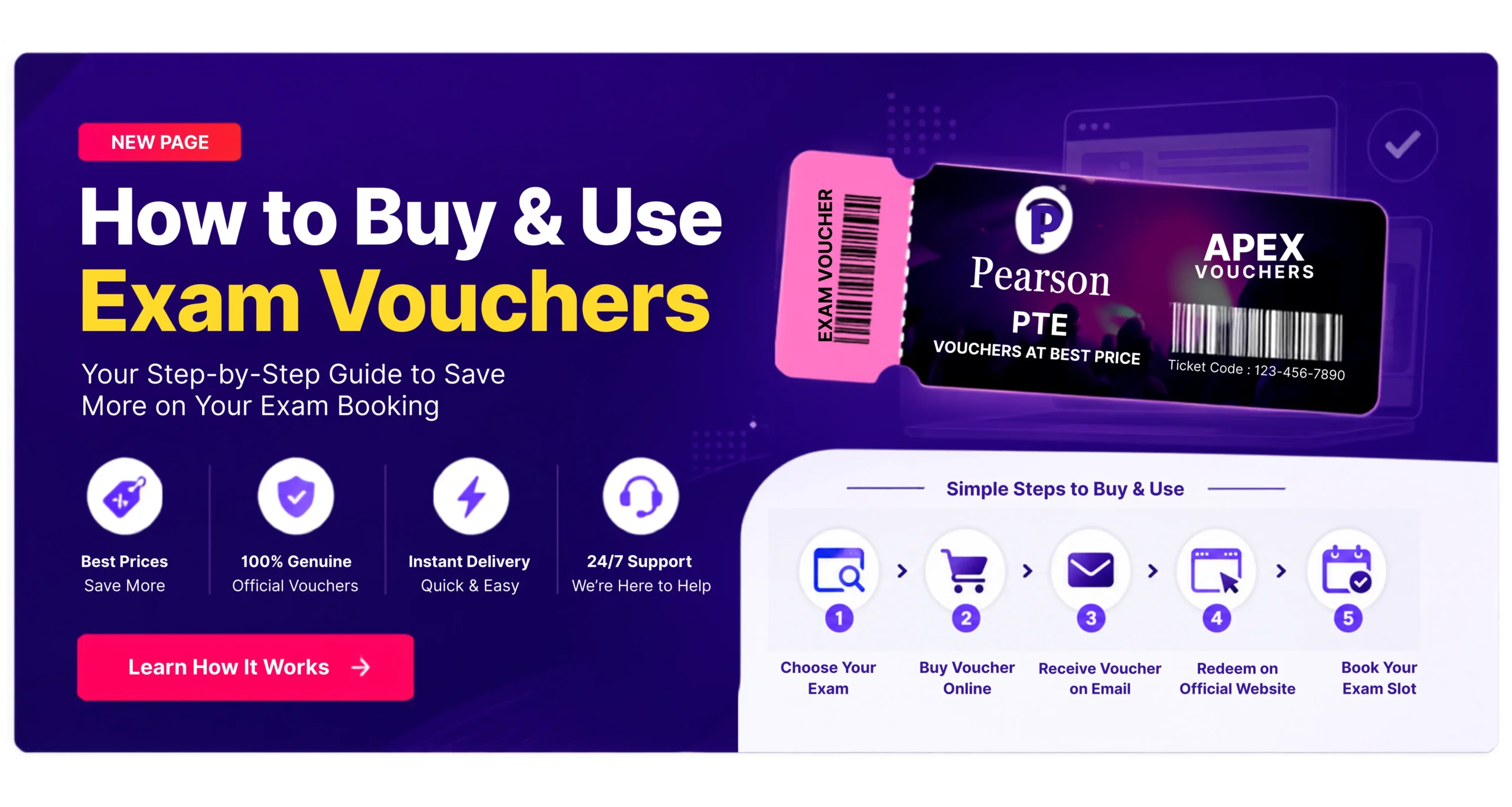
How to Buy & Use Your Exam Voucher
Follow this step-by-step guide to purchase your exam voucher from Apex Vouchers, complete your payment, receive your voucher details by email, and use your voucher for exam booking.
How to Purchase Your Exam Voucher
Follow these simple steps to purchase your exam voucher, complete your order, receive your voucher details, and get ready for your exam booking.
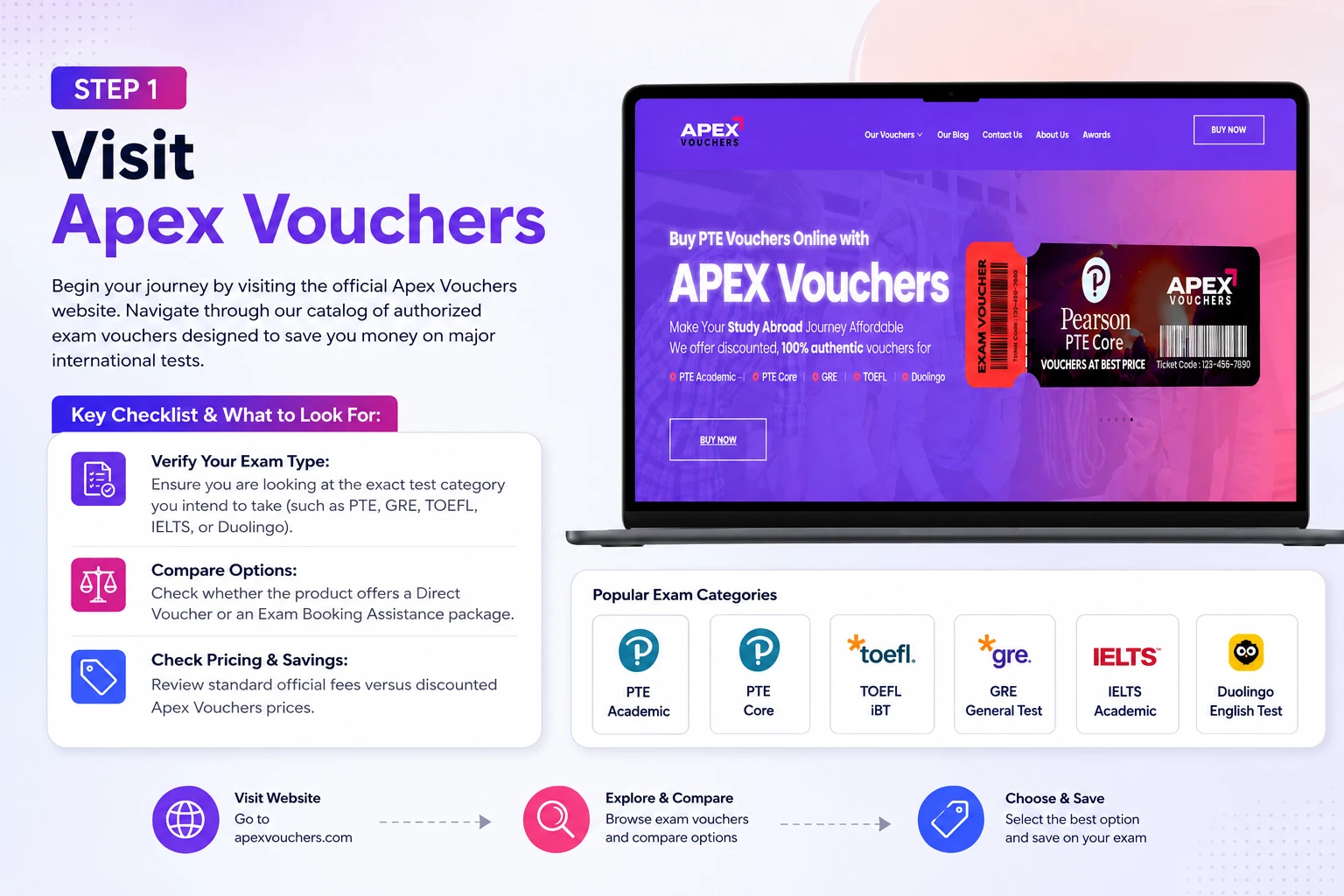
Step 1: Visit Apex Vouchers
Begin your journey by visiting the official Apex Vouchers website. Navigate through our catalog of authorized exam vouchers designed to save you money on major international tests.
Key Checklist & What to Look For:
- Verify Your Exam Type: Ensure you are looking at the exact test category you intend to take (such as PTE, GRE, TOEFL, IELTS, or Duolingo).
- Compare Options: Check whether the product offers a Direct Voucher or an Exam Booking Assistance package.
- Check Pricing & Savings: Review standard official fees versus discounted Apex Vouchers prices.
Step 2: Choose Your Exam Voucher
Browse the available vouchers and select the exam you want to purchase. Review the voucher name, available options, price and product information before continuing.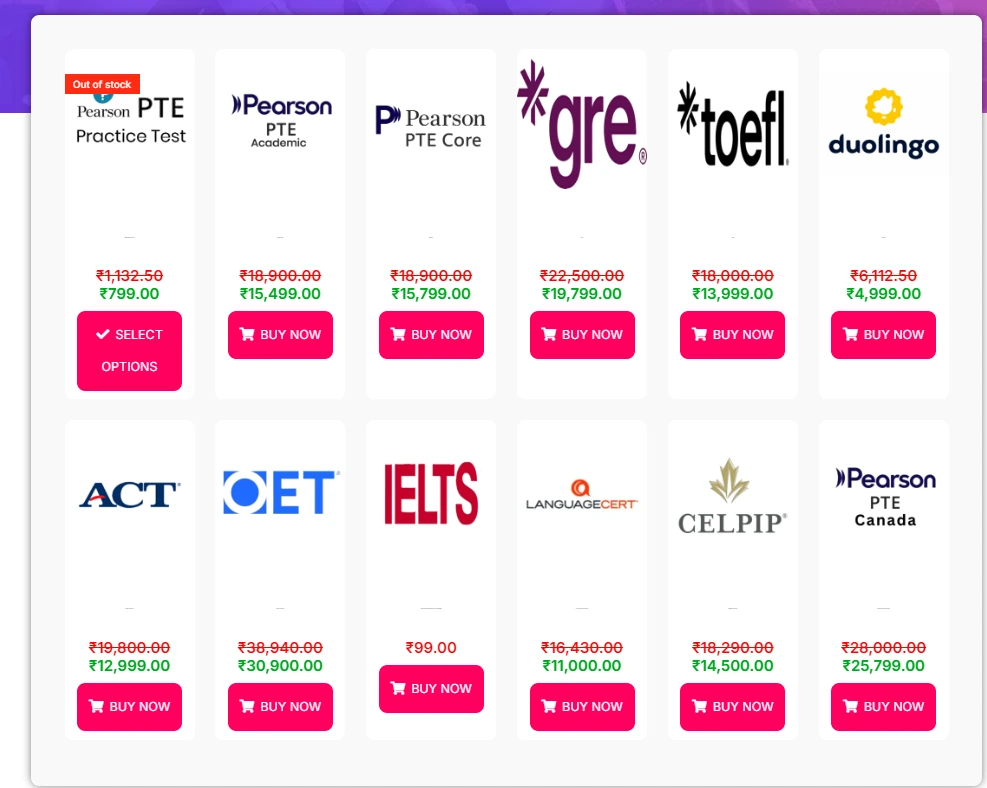
Step 3: Click Buy Now
After selecting the voucher you want, click the “Buy Now” button to add the product to your shopping cart. If the product has multiple options, click “Select Options” and choose the option that applies to you.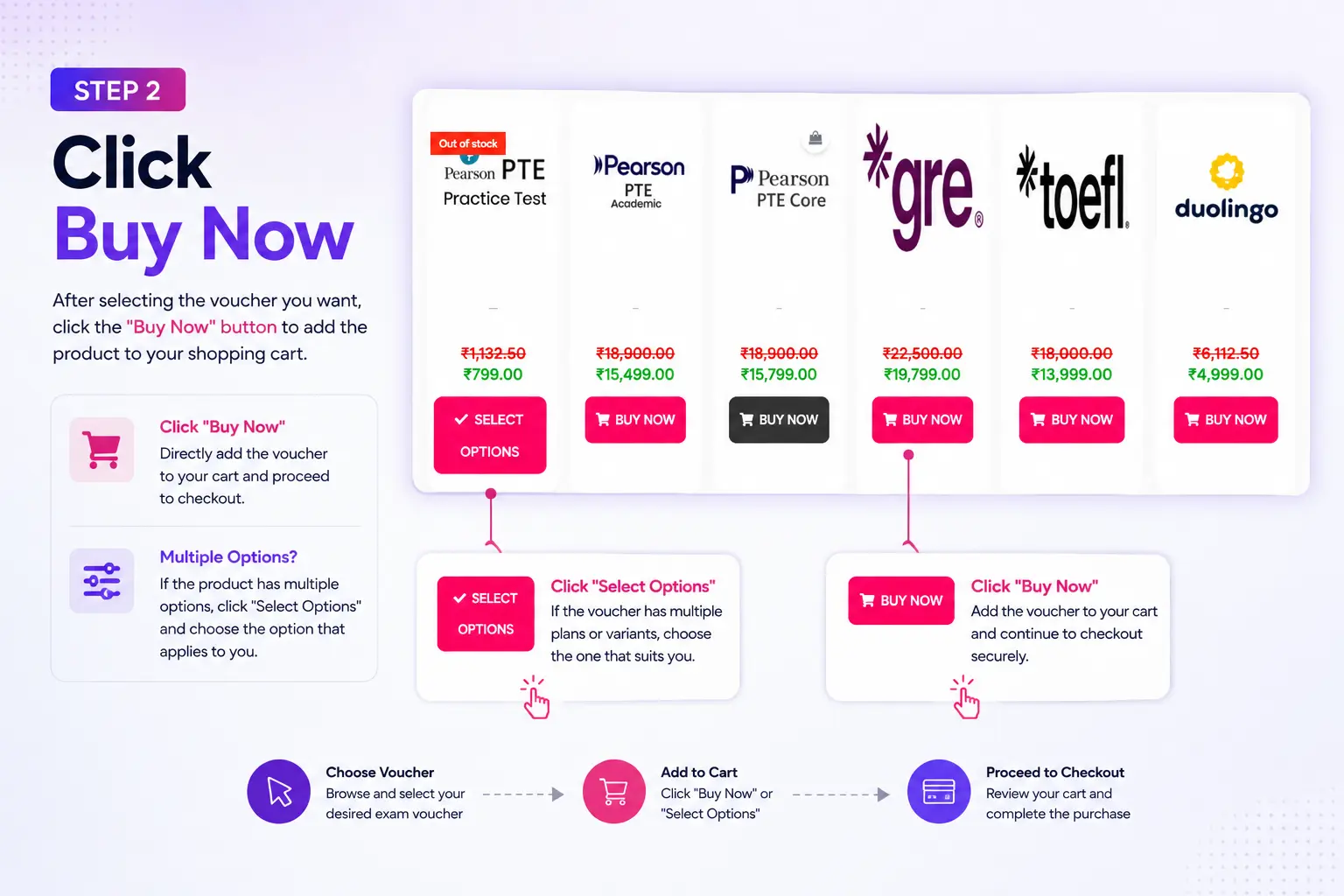
Visually highlight the “Buy Now” action to proceed.
Step 4: Review Your Shopping Cart
After clicking Buy Now, your voucher will be added to the shopping cart. Review the voucher name, quantity and total price before continuing.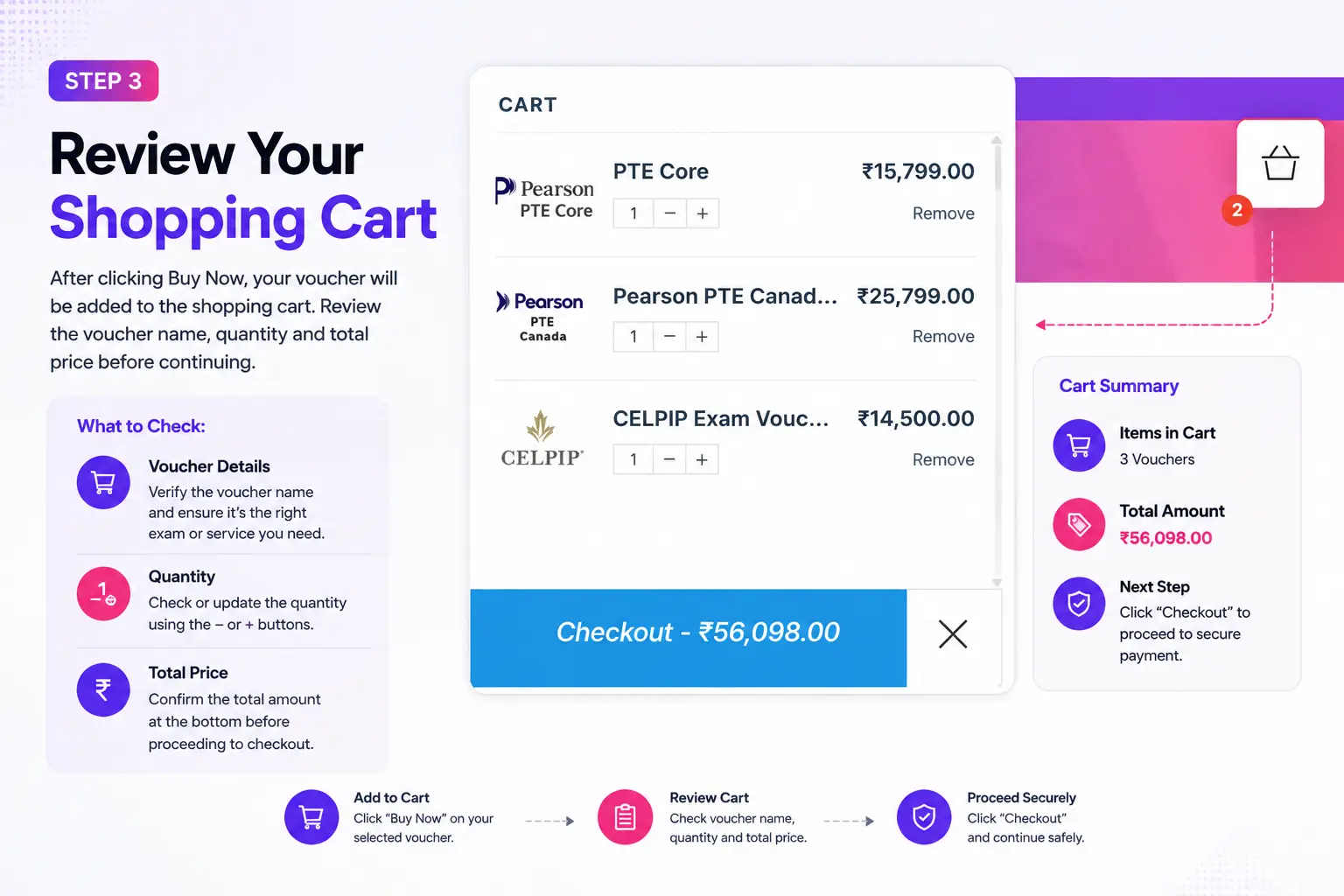
Instruction: If everything is correct, click “Checkout” to continue.
Step 5: Complete Your Checkout Details
Enter the required billing and contact information on the checkout page. Make sure all information is accurate before placing your order.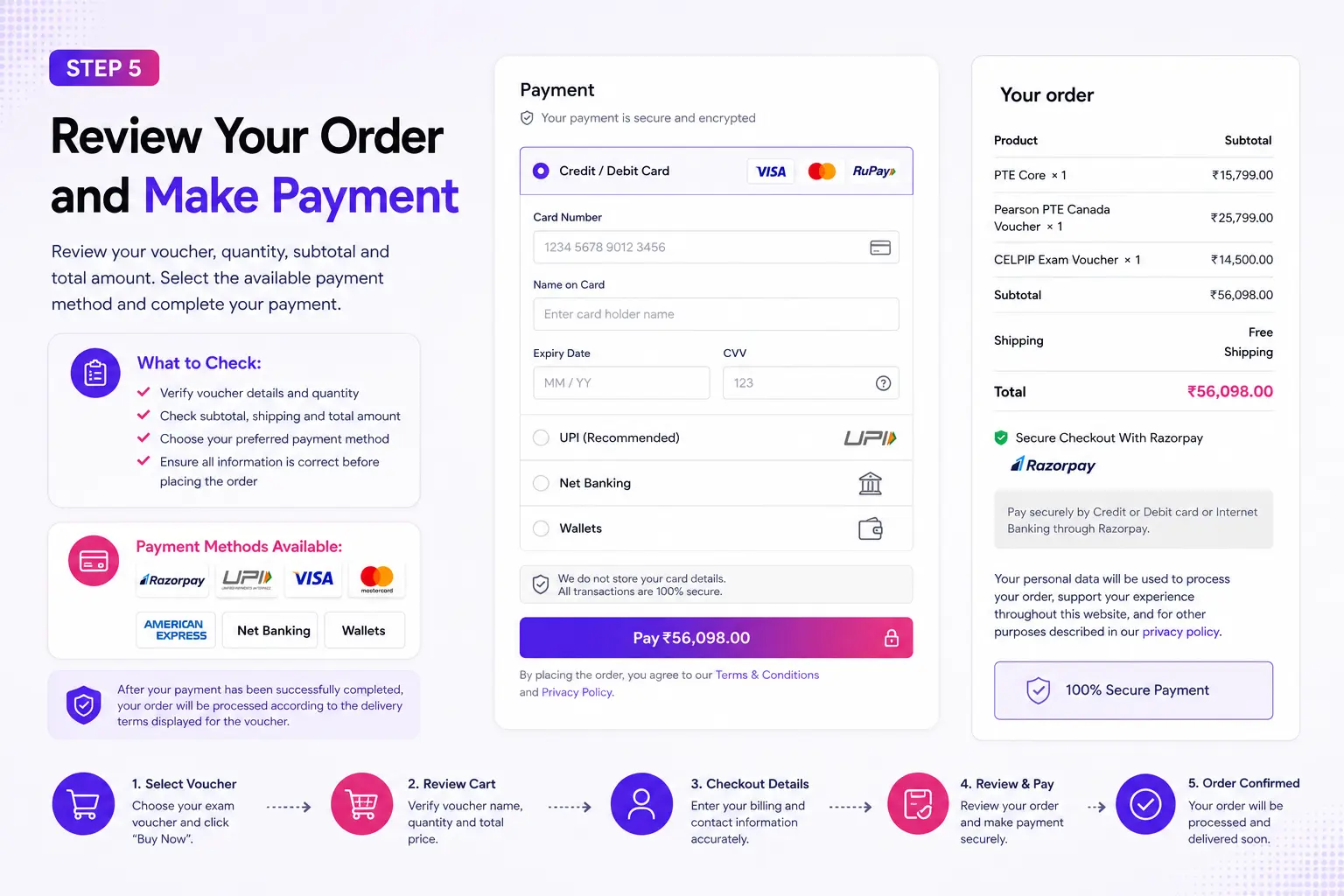
Required Fields:
- First Name & Last Name
- Country/Region & Complete Address
- City, State & PIN/ZIP Code
- Phone Number & Email Address
Step 6: Review Your Order and Make Payment
Review your voucher, quantity, subtotal and total amount. Select the available payment method and complete your payment.
After your payment has been successfully completed, your order will be processed according to the delivery terms displayed for the voucher.
Step 7: Receive Your Voucher by Email
After your order has been successfully processed, check the email address you provided during checkout for your voucher details and redemption instructions.
Inbox
Check the email address used during checkout.
Spam / Junk
If you cannot find the email, check your Spam or Junk folder.
Search
Search your mailbox for “Apex Vouchers” or your order number.
Step 8: Use Your Voucher to Book Your Exam
After receiving your voucher, follow the redemption instructions provided with your voucher. Visit the applicable official exam provider’s website, select your exam and booking details, and enter your voucher code where required.
- Visit the applicable official exam website.
- Sign in or create your exam account.
- Select the appropriate exam.
- Choose your location, test centre, date and time where applicable.
- Enter your voucher code in the designated voucher or promotion field.
- Review your booking and complete the registration process.
Note: The exact redemption process may vary by exam provider.
Need Help With a Specific Exam?
Voucher redemption steps can vary depending on the exam provider. Choose your exam below for detailed instructions.
Need Help With Your Voucher?
I haven’t received my voucher email. What should I do? ▼
My voucher code is not working. What should I do? ▼
I have a problem booking my exam. What should I do? ▼
Can I change my exam date after booking? ▼
Can I request a refund? ▼
Refund eligibility depends on the applicable Apex Vouchers refund policy and product terms.
